
Discord Verification Guide
1. Discord Verification Guide This Guide was Made by Outnumbering a player and a current mod on Dank Prison
Hello Everyone. <br> <Strong>If already verified (Type anything in #verification) to regain verified role.</strong>
1. Steps {| class="wikitable" ! Step ! Description |- |1|| First Step is to join the Discord [This action requires Prestige 1 Rank]: <br> Either type /discord on the server which will send you this message in chat. <br>  <br> Or join by using this link https://discord.dankprison.com |- |2|| Once you have joined the Discord you will only be able to see one channel which is #verification<br>
 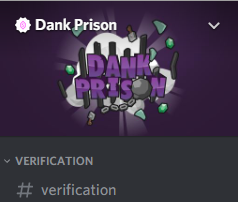 |- |3|| After you are in the Discord go back to the server and type /verify this will send you a message like this.<br> (Verify Codes expire after 3 minutes. So be fast. If your code doesn't work use /verify to get a new one.)
 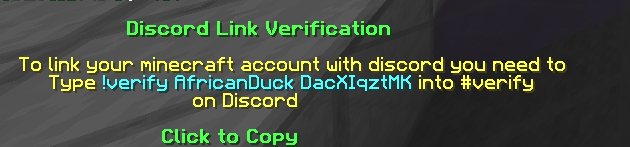 |- |4|| Following the instructions for your account copy the text !verify [IGN] followed by the code it gives you.<br> Example for this account used in the guide "!verify AfricanDuck DacXIqztMK" |- |5|| Paste it into the #verification channel and you should be good to go, You will receive a message from the Dank Bot saying that your account has now been verified.
  <br> You will now be able to see all the channels available for a verified member of the Dank Prison Discord. |}
- If you are planning on buying a donator rank [Elite or above], or you already have purchased one to access your new roles type /updaterole in the chat on the server.<br> If you wish to be pinged on Discord in the #Global-Events channel when the Global event is about to start enter the command /genotify** , you will receive this message in-game. <br>
 <br>
<br>
Also you will receive a similar message on Discord from the Dank Bot which will look like this. <br>
 <br> <br> If you have changed your in-game name and wish for it to be the same as your Discord you can type /updatenick, This command also requires Elite+ Donator rank to access.<br> <br> If you have any follow up questions based on this topic feel free to message me on Discord @Outnumbering#2882<br> I will be more than happy to help and answer questions.<br>