
Auto Miner
 Updated by Dank420Girl
May 1, 2026
621 views
Updated by Dank420Girl
May 1, 2026
621 views
Auto Miner#
Dank Prison utilizes a custom AutoMiner System created specifically for Dank Prison that is unlike any other server. 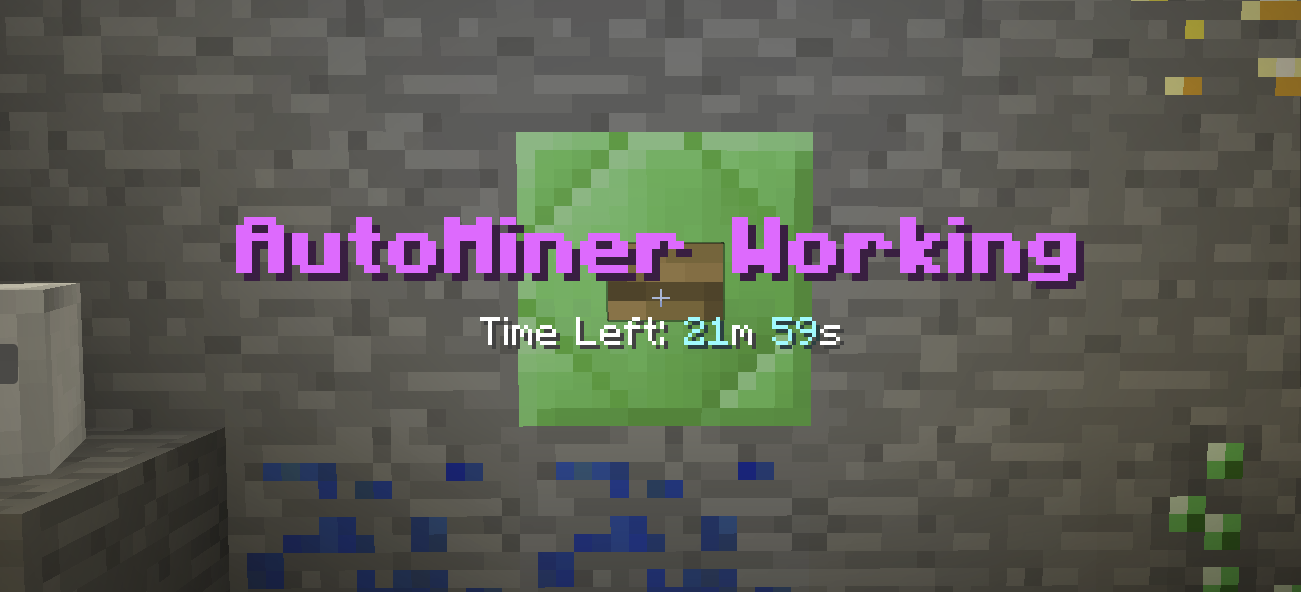
How to Obtain Auto Miner Time#
- AutoMiner Time can be earned from AutoMiner Pet while Mining, Fishing, AutoMining, or OverDriving.
- AutoMiner Time can be earned from Voting with /vote.
- AutoMiner Time can be earned from Wheel of Fortune. /w wof
- AutoMiner Time can be earned from Plinko. /w plinko
- AutoMiner Time can be earned from Slots. /w slots
- AutoMiner Time can be earned from the Daily Bonuses. /db
- AutoMiner Time can be earned from Vote Party and Donation Party Crates.
- AutoMiner Time can be bought from our Store or obtained from Weekly AutoMiner Package in the Store /buy.
Auto Miner Info#
- To start AutoMining, you must click the button inside one of 3 AutoMiner regions, which can be accessed in the /warps menu.
- AutoMiner is an automated mining task that allows you continue earning stuff within the server while you are AFK, doing hopefully other IRL things.
- AutoMiner scales based on your Pickaxe Enchants. More Enchants and Levels the better.
- OverDrive is a special type of Auto Miner that doubles the % for all rewards found in OverDrive, allowing you to potentially find awesome loot more frequently.
- If you are Verified on Discord, Auto Miner can automatically alert you when you get disconnected while using am.
- AutoMiner automatically stops when you run out of inventory space.
- You cannot be AFK Kicked while using Auto Miner.
Commands#
| Command | Description |
|---|---|
| /am | Shows your own AutoMiner balance |
| /am bal <player> | Allows you to view AutoMiner balance of other Players |
| /am start | Allows you to start AutoMiner without clicking the button. (Still requires you to be in the AutoMiner Region) |
| /am start <amount> | Allows set AutoMine to run for specified amount of time. (Still requires you to be in the AutoMiner Region) - format in seconds (e.g., /am start 3600 = 1 hour) or formatted time (e.g., /am start 1d5h3m3s) |
| /am <amount> | Allows you to set a Timer that will make AutoMiner run for set amount of time or until you run out of AM Time - format in seconds (e.g., /am start 3600 = 1 hour) or formatted time (e.g., /am start 1d5h3m3s) |
| /am clear | Clears your Set AM Timer |
| /am stop | Allows you to Stop Active AM |
| /od | Shows your own OverDrive balance |
| /od bal <player> | Allows you to view OverDrive balance of other Players |
| /od start | Allows you to start OverDrive without clicking the button. (Still requires you to be in the AutoMiner Region) |
| /od start <amount> | Allows set OverDrive to run for specified amount of time. (Still requires you to be in the AutoMiner Region) - format in seconds (e.g., /am start 3600 = 1 hour) or formatted time (e.g., /am start 1d5h3m3s) |
| /od <amount> | Allows you to set a Timer that will make OverDrive run for set amount of time or until you run out of OD Time - format in seconds (e.g., /am start 3600 = 1 hour) or formatted time (e.g., /am start 1d5h3m3s) |
| /od clear | Clears your Set OD Timer |
| /od stop | Allows you to Stop Active OD |
| /ham start | Allows you to activate Hyperautominer uses 2 seconds of autominer time (does not get effected by am event*) (Requires TD rank or higher) |
| /ham start <amount> | Allows you to run Hyper AM for set amount of seconds (Requires TD rank or higher) - format in seconds (e.g., /am start 3600 = 1 hour) or formatted time (e.g., /am start 1d5h3m3s) |
| /ham stop | Allows you to Stop Hyperautominer |
| /wam | Claim 2hrs of Auto-Miner (1w Cooldown)(Requires Purchasing Weekly Autominer Via DankPrison Store /buy) |